Backed byY Combinator

Build AI people can text, call, and FaceTime.

Give your agent a phone number for iMessage, SMS, and FaceTime audio and video.

Documentation ↗Released CLI setup guidenpm and Python SDK packages are not published yet.
Alex Rivera

iMessage
Today 9:41 AM

Hey! Is the place on Willow St still available?
It is! Would you like to see it?
Yes, tomorrow afternoon?
I have 3:00 or 4:30. What works for you?
3 works for me!
Booked. See you there!

Delivered

In your appViewing booked.

What we do

Make iMessage and FaceTime programmable at scale.

Start trusted conversations

Blue-bubble threads from verified numbers, delivered like native iMessage.

Jamie Chen
iMessageToday 9:41 AM
Hey Jamie, your workspace is ready.
Thanks! Can I invite my team?
Of course. Open Settings → Members → Invite.
Found it. We’re all in!
Great. I’m here if you need a hand.
Delivered
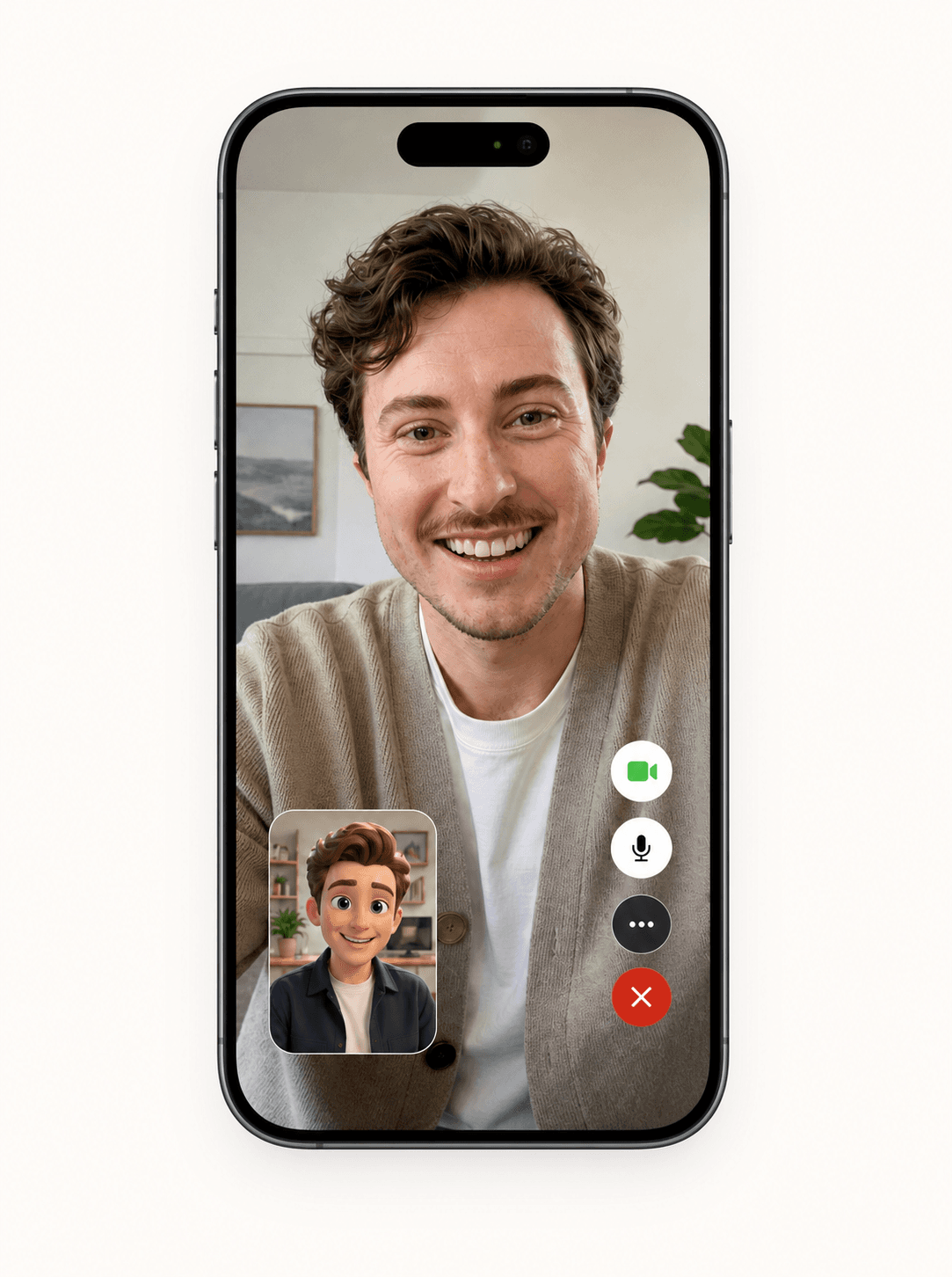
FaceTime video

Agents you can see

Face-to-face conversations with your AI. Let people show your agent what they need help with.

Illustrative FaceTime conversation between a person and an AI avatar

Keep the thread warm

Typing, reactions, and reply context stay intact for AI or human follow-up.

Juniper Café
The new menu looks great.❤️
Thank you! See you soon.
FaceTime audio

A voice on the other end

Let people talk things through with your agent. Natural conversations, right inside FaceTime.

Loop in the right people

Run multi-recipient threads with named senders and clean handoffs.

Viewing on Saturday
Jamie
We’ll both be there at 3.
Maya
Can’t wait to see it!
Perfect. See you both then.

Recover unreachable contacts

Fallback to SMS or RCS when someone is off iMessage.

Sam
Text Message · SMS
Your appointment is now Tuesday at 2. Does that work?
Sent as Text Message
Yes, thank you!

Know what happened

Delivery receipts and webhook-ready status per message.

Taylor
Your order is ready. See you soon!
Read 9:41 AM
ChertMessage statusRead

Read receipts when available.

Voice notes

I’ve sent a quick walkthrough.
Where it works

Built for any workflow where a message or call should become an action.

Jamie Chen

iMessage
Today 9:41 AM

Hey Jamie, your workspace is ready.
Thanks! How do I invite my team?
Open Settings → Members → Invite. Want a hand with setup?
Yes please, tomorrow at 11?
See you at 11!

Delivered

In your appSetup call scheduled.

Customer storyGetcho

How Getcho Is Moving Its Notifications from SMS to iMessage

Read the story
Integrations

One thread, everywhere your team works.

API docs
Your AI companion
Daily check-inPresentation day
Conversation updated
Chert
Milo AI companion
How did the presentation go?
Better than I expected!
Delivered
What was the best part?
Pricing

Start free. Find your line.

Try your agent, keep building on a shared line, or talk to us about a line of your own.

Free

$0trial

Try Chert on a shared line.

10 FaceTime minutes + 10 messages

Expires 24 hours after your original grant. Resuming setup does not restart the trial.

  • FaceTime audio & videoVideo requires a compatible agent and a qualified line.
  • iMessageVerify your phone to use shared messaging.
  • SMS fallbackShared access is iMessage-only today. Confirm dedicated-line support with us.
  • Connect your own AI agentFaceTime CLI + documented messaging API integration.
Start free

Start with the CLI to request an available shared line and verify your phone.

Dedicated

$250/month per line

A dedicated line for your project.

Dedicated line access

Talk with us about line availability, supported channels, and fulfillment.

  • FaceTime audio & videoVideo requires a compatible agent and a qualified line.
  • iMessageVerify your phone to use shared messaging.
  • SMS fallbackShared access is iMessage-only today. Confirm dedicated-line support with us.
  • Connect your own AI agentFaceTime CLI + documented messaging API integration.
Book a call

Self-serve checkout is not available for Dedicated yet.

Already have a project?

Open your project, then Billing to view Shared and Dedicated plans. Paid checkout is currently paused.

View paid plans

Prices in USD. Your own agent’s LiveKit, model, and other provider usage is billed separately. Paid plans have usage limits; these prices do not promise unlimited usage.

Read the setup guide
FAQ

Everything you
need to know.

Read the docs
Is this real iMessage, or just SMS branded as iMessage?

Real iMessage. Messages flow over Apple’s iMessage protocol with the blue-bubble UX your customers already trust. We fall back to SMS only if a recipient isn’t on iMessage, and we surface that distinction in the API so you always know which channel a message landed on.

How is this different from sending SMS through Twilio?

Twilio is an A2P SMS pipe: carrier-filtered, 10DLC-registered, and visibly automated. Chert delivers a peer-to-peer iMessage thread that opens with the blue bubble, supports read receipts and tapbacks, and lives in the same inbox as a recipient’s family and friends. Open and reply rates are categorically different because the channel is.

What about deliverability and spam flags?

Because iMessage is end-to-end and tied to Apple ID, it doesn’t inherit the carrier-side filtering that hammers A2P SMS. We rotate sending identities, warm them gradually, and cap volume per identity per day to stay well below the heuristics Apple uses to throttle abusive senders. Anyone promising "unlimited blast" volume is one ban away from disappearing.

How do I connect Chert to the tools my team already uses?

We expose a REST API and webhooks for message events, so you can wire conversations into your CRM, sales tools, voice agents, or internal data store with a few hours of work. We also ship native sync for the common cases (lead created, meeting booked, opt-out received). If you’d rather not build, we’ll handle the integration during onboarding.

Want a hand getting started?

Book a 20-minute kickoff. We'll help you connect your agent to iMessage or FaceTime.

Open booking calendar